You can invite other creators to collaborate on your products. Collaborators have full access to the product and can share revenue from it.
Adding collaborators
On the Edit product page scroll down to the Collaborators section:
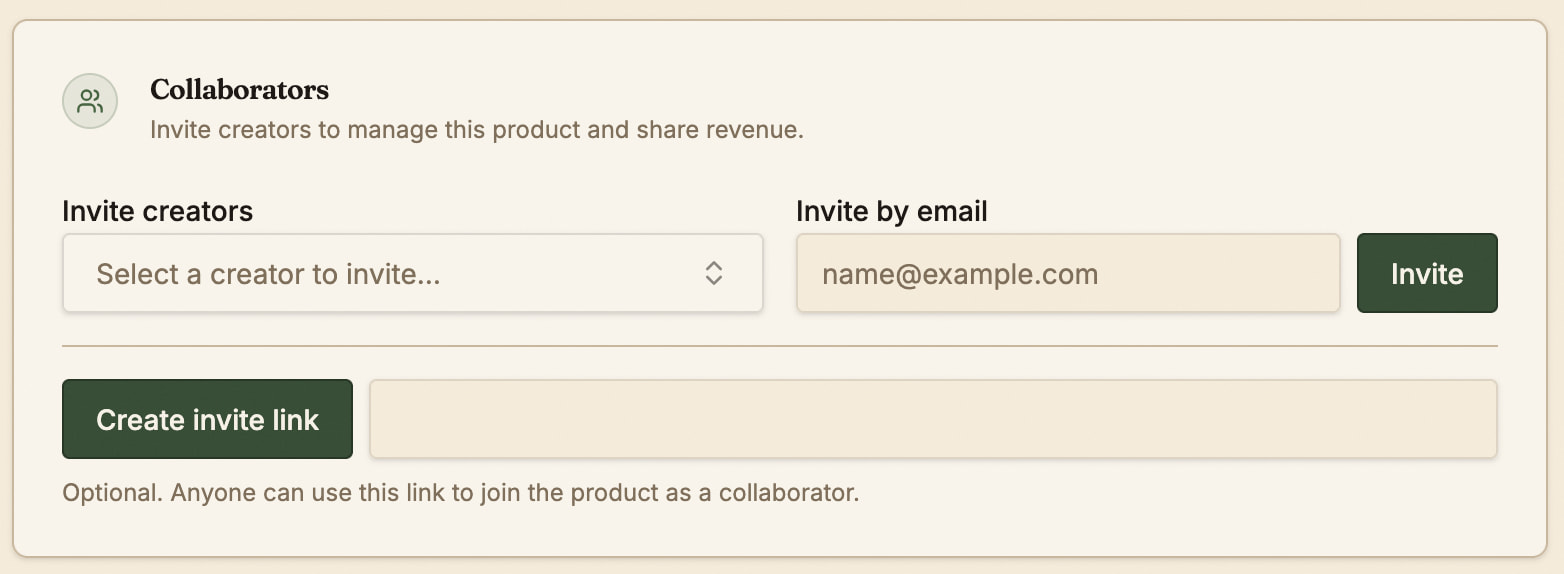
You can invite collaborators by searching for their creator name, adding their email address, or generating a unique link they can use. Note that anyone who uses the link will be able to join a product as collaborator.
Collaborators must accept the invite before being added to the product.
Managing collaborators
Invited collaborators will show up in the same section once you have sent an invite or someone has used the invite link:
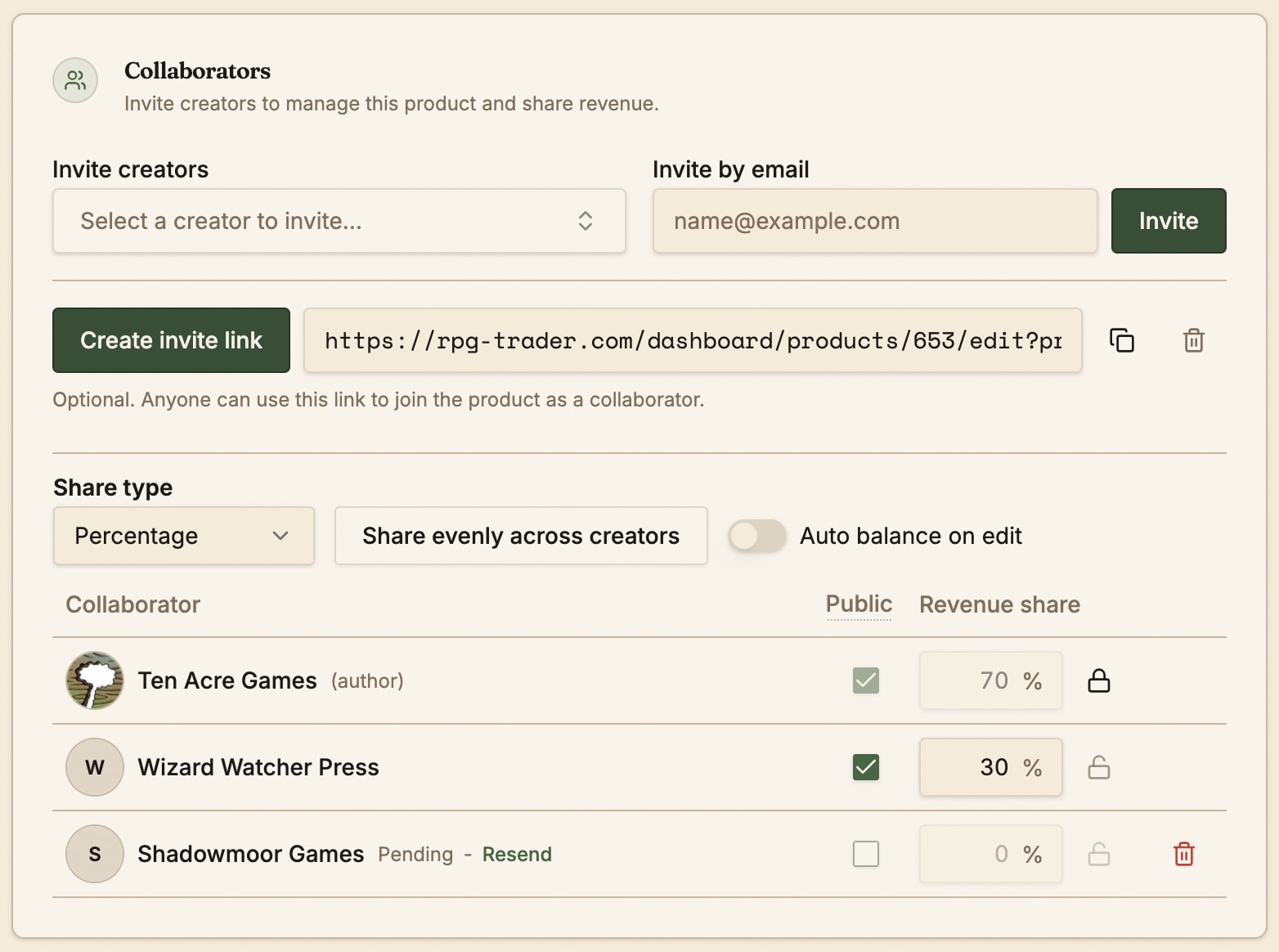
Pending invites will be marked as such - they can be resent or deleted. Accepted collaborators can also be deleted.
The author of the product will always show in the list, along with any invited creators.
Revenue share type
You can select either percentage-based revenue share (which is the default) or tier-based revenue share.
Percentage-based revenue share
With percentage-based revenue share, you can set the revenue share of the product amongst all accepted collaborators. This works just like for collab bundles - set the percentage of the product’s earnings that will go to each creator. This can be any share structure you like, so long as it adds up to 100%.
Use the Share evenly across creators button to create an even spread of revenue share for everyone, and the lock icons to lock a creator at a certain percentage.
Tier-based revenue share
For tier-based revenue share, you can select which collaborators keep all the earnings from each tier. You must select all tiers in order to save the product. Tiers will become available for selection here once the product is saved (whether in draft or published).
This share method will assign all the earnings from the selected tier(s) to the relevant collaborators.
When a creator views their earnings, they will only see their own earnings and not those of their fellow collaborators.
Creator visibility
Collaborators will be displayed publicly on the product if the checkbox in the Public column is selected. The author cannot be deselected, and pending creators cannot be displayed. By default, all collaborators are displayed publicly.
If a creator is not public their name will not appear anywhere to buyers for the product, including the product details page, product cards, order details, and anywhere else. The product will only show up on the creator page of public collaborators.
Collaborator access
Collaborators will see products they are added to in their Products page in the dashboard along with their regular products.
They have full access to the manage the product with two exceptions:
- They cannot delete the product.
- They cannot add or manage collaborators on the product (although they can see the list of collaborators and the revenue share percentages).
For security reasons, both of those functions can only be performed by the original product author.