RPG Trader offers a way for you to fund the ongoing development of your products though a crowdfunding-like system.
Funding goals differ from traditional crowdfunding. Here, customers pay for your products upfront with the purchases building up to support ongoing development with no defined end point, whereas traditional crowdfunding is generally a time-bound pre-order model.
You can also choose to link to an external crowdfunding project.
Enable funding for a product
On the Edit product (or Edit bundle) page, switch on the Funding goals toggle:

When this is on, the default behaviour is to display your total sales on your product beneath the pricing tiers:

Add funding goals
To display your funding goals in a progress bar, instead of just the plain total sales figure, you can add individual funding goals.
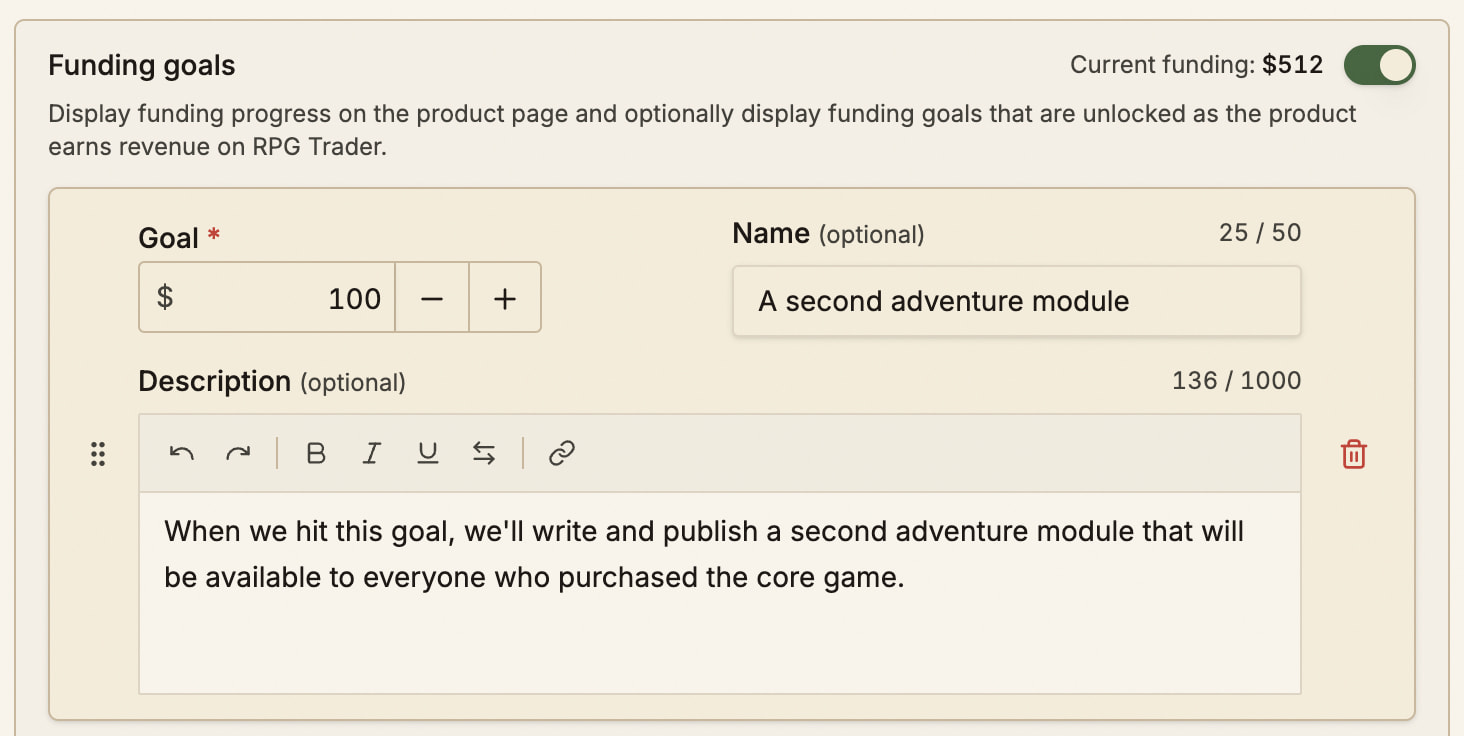
Click the Add funding goal button to add a new goal to your product. Each goal requires a target sales figure and can include an optional name and description:
Viewing funding progress
As long as there is at least one funding goal saved, a progress bar with the goals is shown in place of the Total sales figure beneath the pricing tiers:
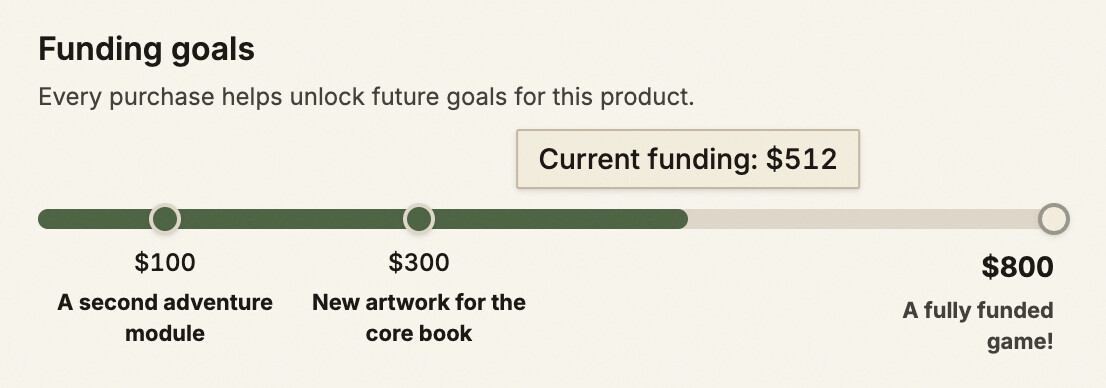
The progress bar will update live as people purchase your product. All paid purchases contribute to the Current funding amount.
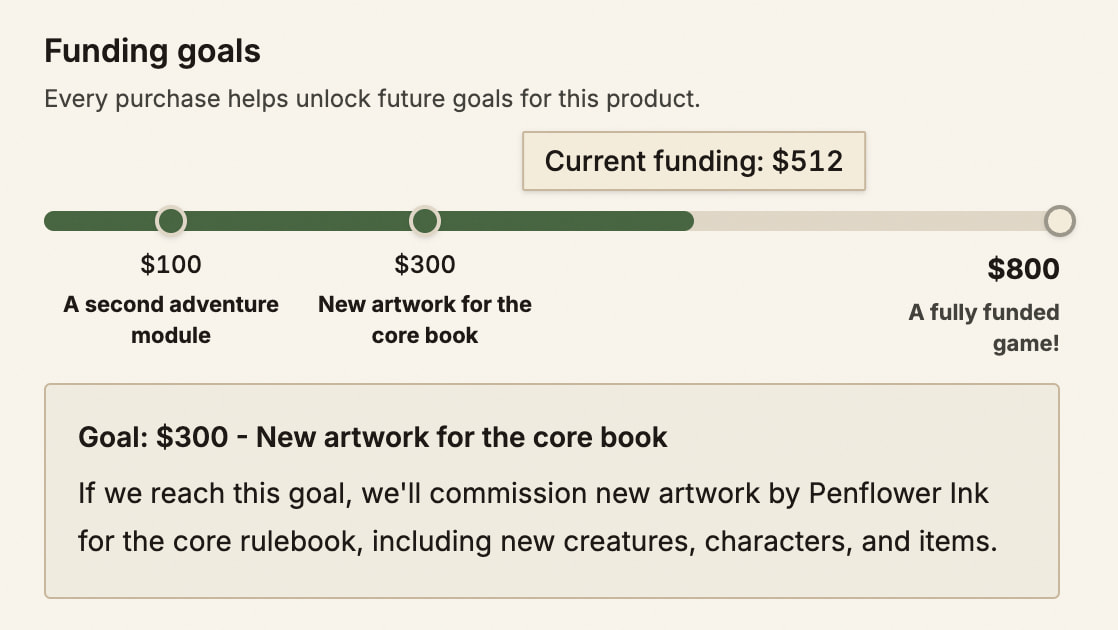
If a goal has a saved description, clicking on the goal in the progress bar will display the description beneath it:
Reaching your final funding goal
Once your final funding goal is reached, your product remains available for purchase like normal. The progress bar remains on the page, filled to 100%, with the Current funding figure continuing to increase with purchases.
Each time you reach a funding goal, your followers will see it in their activity feed.
Finding products that are funding
When filtering products on the site, all products that have funding goals will have a Funding goals badge on them, to make them easy to identify. Product lists can also be filtered to show these products by enabling the Funding goals toggle.