Create sales for one, some, or all of your products. Optionally require a coupon for the sale.
Manage sales
- Go to Dashboard then Promotions.
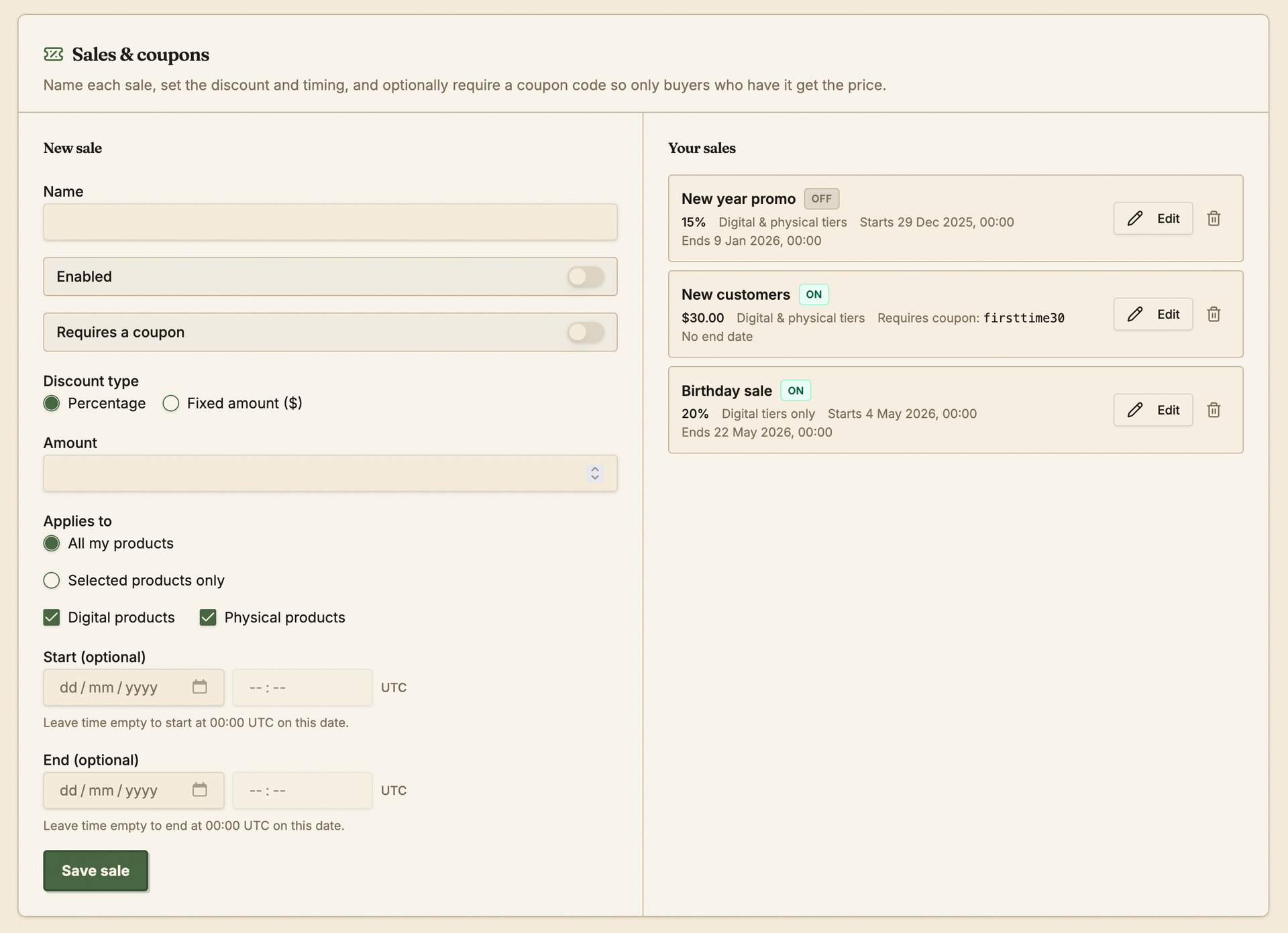
Create a sale
Give your sale a name, and fill in the relevant details - you can select what products or groups of products are included in the sale.
Percentage sales discount the product by the specified percentage of the price. Fixed amount sales discount the product by the fixed dollar amount.
You can optionally require a coupon for the sale to be used. Buyers will have a chance go add coupons as they go through checkout.
What buyers see
When a sale is active on a product it is shown on the product details page. If there is an end date for the sale, it will be displayed too:
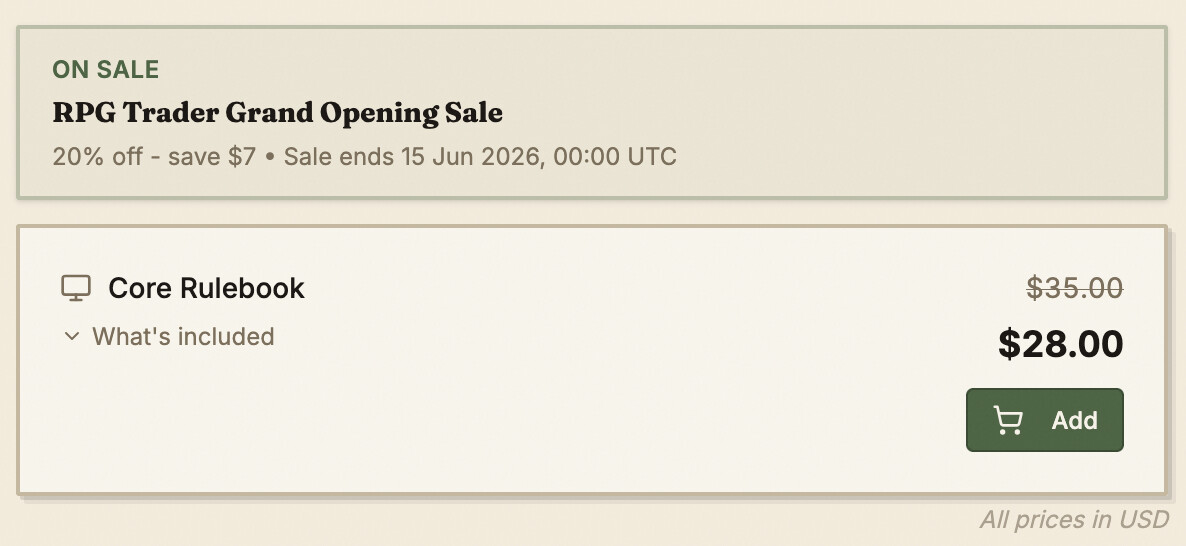
Coupons do not display on the product details page, since they are only applied at checkout by buyers who know about them.
Conflicting sales
If more than one sale applies to a product, only one will be shown and made available on the product details page. The sale that is used will be chosen in the following order:
- The sale that offers the largest discount to the most expensive tier.
- If more than one sale matches the discount to the most expensive tier, go down the tiers until there’s one sale that gives the biggest discount.
- If more than one sale matches still, then favour author-created sales over site-wide sales.
- If still there’s multiple matching sales created by the author, just pick one of them at random to use, since they all offer an identical discount.
You can choose to opt-out of store-wide sales applying to your products by going to the Promotions page in the dashboard and changing the settings in the Site-wide promotions section.
Using multiple coupons
Only one coupon per seller and one store-wide coupon can be used at a time. This means a buyer could use multiple coupons, but only one per seller and the store as a whole.