You can send a broadcast email to people who bought your work. Drafts stay on the Emails page until you send.
RPG Trader doesn’t provide buyer contact details to creators. This is to ensure privacy for buyers who are transacting with RPG Trader directly.
Open Emails
- Go to Dashboard then Emails.
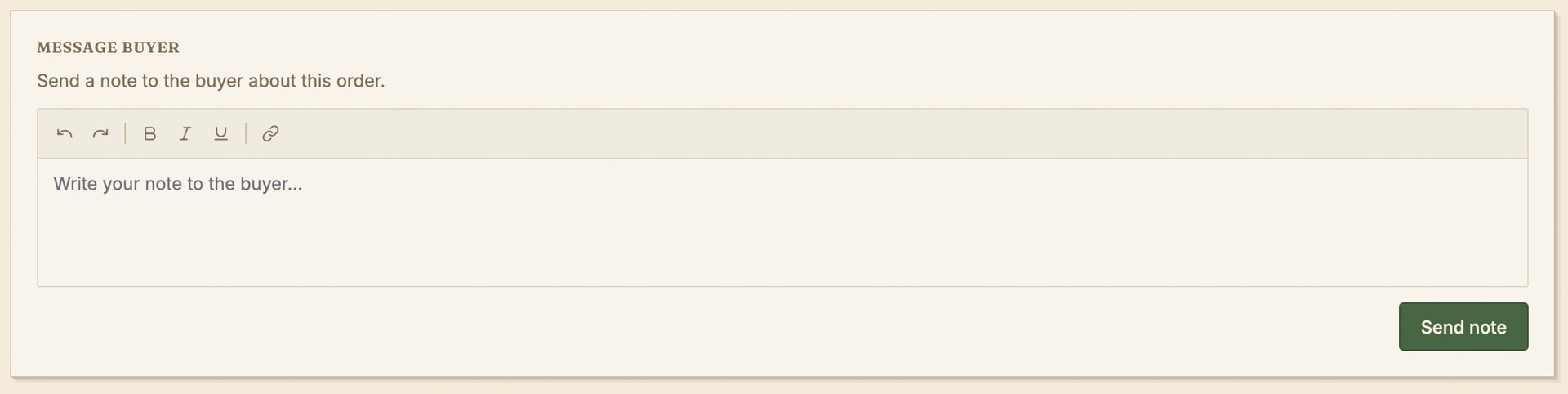
- You can also add order notes that will be emailed to the buyer.
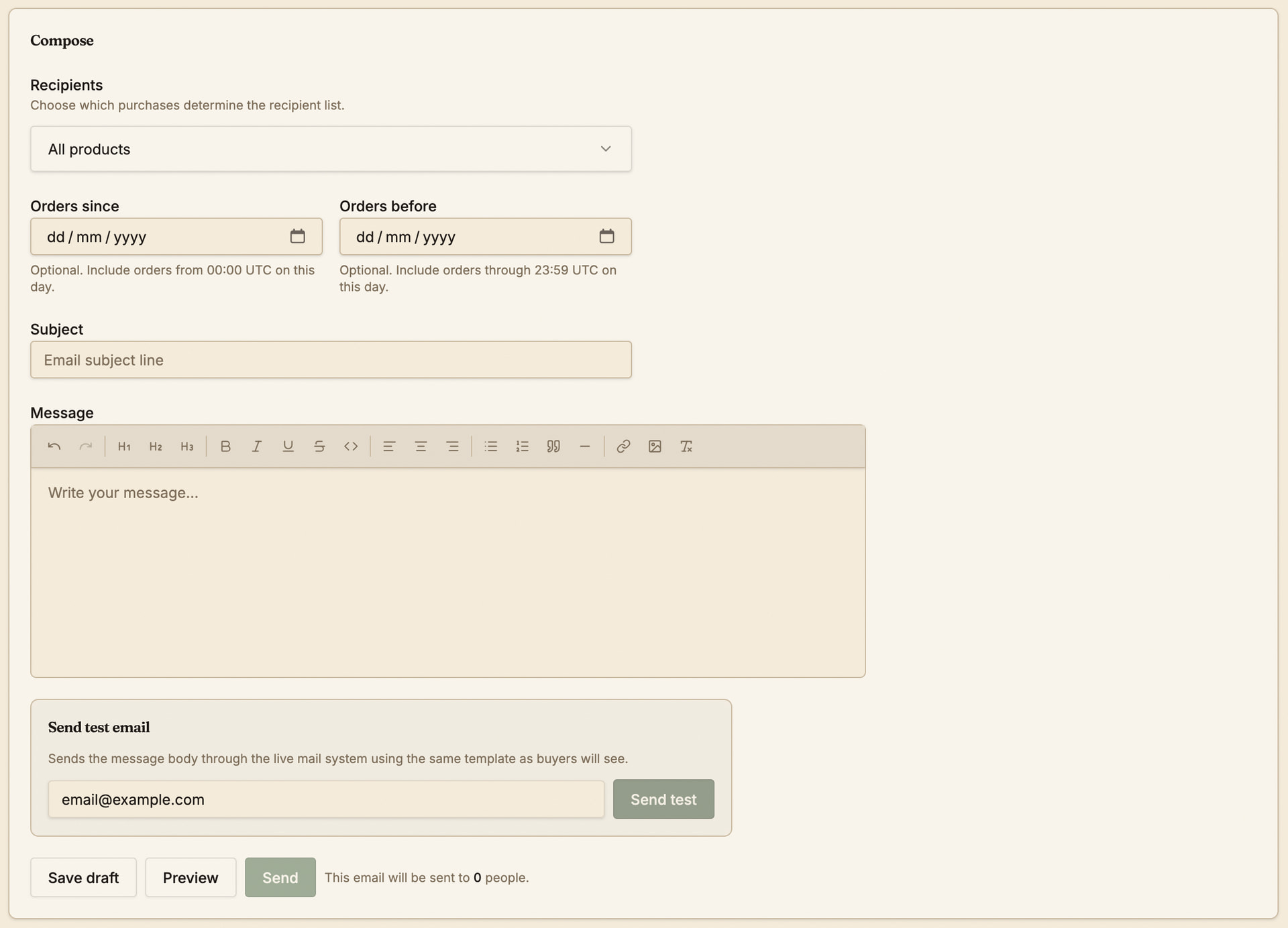
Compose an email
-
Enter Subject and the message body.
-
Choose products to target buyers who purchased those titles, or use All products.
-
Optional: narrow by orders since and orders before dates when the form shows date fields.
-
Watch the recipient count update as you change filters to keep track of how many people you will contact.
Test before you send
-
Preview the email in your browser or use the Send test email feature to confirm what it looks like.
-
Open the test message and fix issues in the draft.
Send to everyone in the audience
-
Use the main Send action when you are satisfied.
-
The Sent & drafts table at the bottom of the Emails page will show sent, received, opened, clicked, and bounced counts.
Review past emails
-
View in the Sent & drafts table shows what buyers received when that action exists.
-
Clicking Edit on a draft opens it for editing.